


 Previous
You can copy a two-page spread original onto both sides of the paper.

You cannot use the ADF with this function.
There are two types of Spread Duplex.
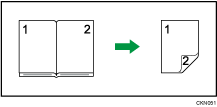
Spread  2 Sided
Copies a two-page spread original onto one sheet with one page per side.
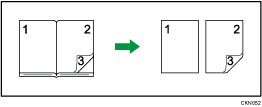
Spread 2 Sided (Spread)
Copies each two-page spread original as it is onto both sides of a sheet.
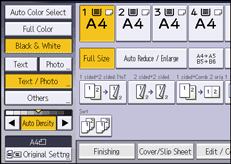
 Press [Original Settng].
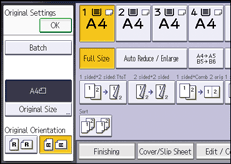
 Select the readable orientation (
 ), and then press [OK].
 Press [Dup./Combine/Series].
 Press [Spread Dplx.].
 Select [Spread 2 Sided] or [Spread 2 Sided (Spread)].
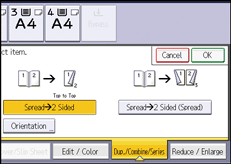
 Press [OK].
 Select the paper tray.

Originals whose sizes and orientations are different cannot be copied.
You can change the orientation for copy. For details, see Specifying the Original and Copy Orientation.


