


 Previous
You can change modes by pressing the function keys on the left side of the control panel.
No functions are registered to the function keys as a factory default. You can register often used functions, programs, and Web pages. For details, see Configuring function keys .
.
The illustration below is an example of some of the functions that can be registered.
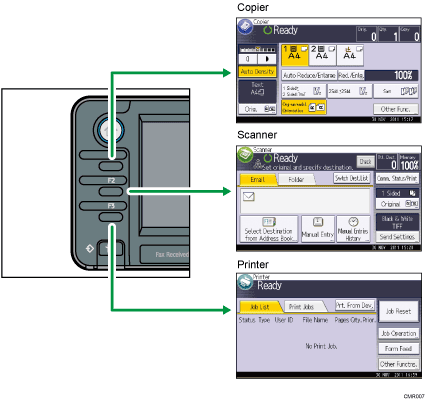

For details about how to read the screen of each function, see How to Use the Screens on the Control Panel
.


