


 Previous
 Press the [User Tools/Counter] key.
 Press [System Settings].
 Press [Administrator Tools].
 Press [Address Book: Program/Change/Delete Group].
 Press [Change].
 Select the group that you want to delete from.
Press the group key, or enter the registered number during the number keys.
You can search by the registered name.
 Press [Add to Group].
 Select the group that you want to delete from.
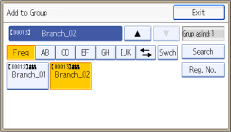
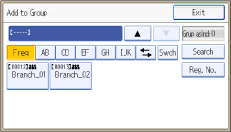
The group key is deselected and the group is deleted from it.
 Press [Exit].
 Press [OK].
 Press the [User Tools/Counter] key.

For details on how to access System Settings, see Accessing User Tools
 .
.


