




SMTP Authentication
For each user registered in the Address Book, you can register a login user name and login password to be used when accessing an SMTP server.
To use an SMTP server, you need to program it beforehand.

When [Do not Specify] is selected for "SMTP Authentication" the user name and password that you have specified in SMTP Authentication of File Transfer settings applies. For details, see File Transfer
 .
.If user authentication is specified, contact your administrator.
 Press the [User Tools] key.
 Press [System Settings].
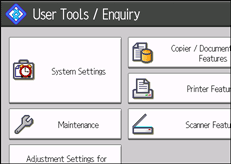
 Press [Administrator Tools].
 Press [Address Book Management].
 Check that [Program / Change] is selected.
 Press the name you want to register or enter the registered number using the number keys.
You can search by the registered name, user code, e-mail address, or folder name.
 Press [Auth. Info].
 Press [Specify Other Auth. Info] under "SMTP Authentication".
 Press [Change] under "Login User Name".
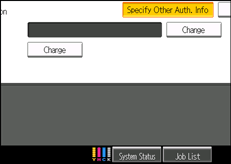
 Enter the login user name, and then press [OK].
 Press [Change] under "Login Password".
 Enter the password, and then press [OK].
 Enter the password again to confirm, and then press [OK].
 Press [OK].
 Press [Exit].
 Press the [User Tools] key.

To register the name, see Registering Names
.You can enter up to 191 characters for the user name.
You can enter up to 128 characters for the password.

